

Download Sony Creators Cloud – Free Cloud‑Based Production Suite for Visual Creators
Overview
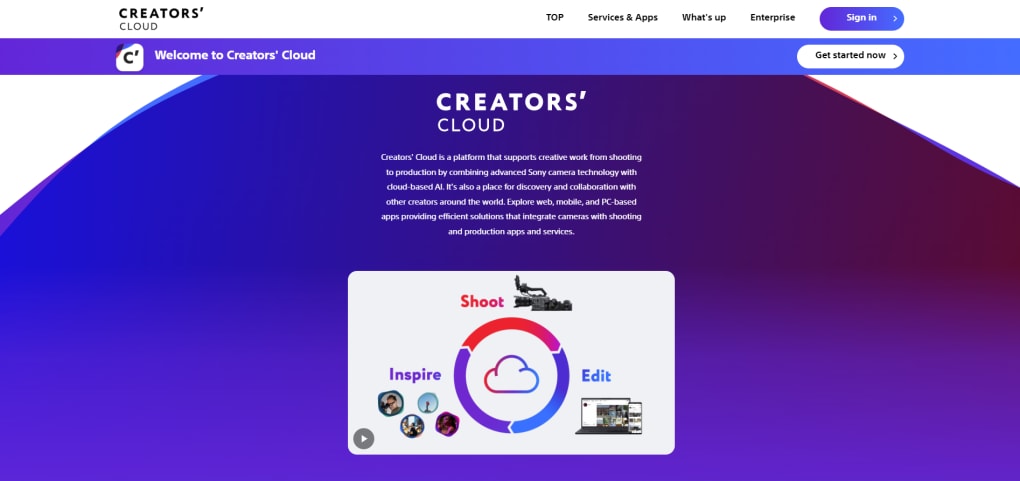
Sony Creators Cloud is a free, all‑in‑one platform designed for photographers, videographers, and broadcast professionals who rely on Sony’s premium camera ecosystem. By merging Sony’s industry‑leading hardware with cloud‑based AI, the service offers a seamless workflow that starts at the moment you press the shutter and continues through post‑production, collaboration, and distribution. Whether you’re shooting a short documentary on an Xperia phone, capturing high‑resolution footage with an Alpha series mirrorless camera, or managing a multi‑camera broadcast from a Sony PXW‑F900, the cloud connects your devices, apps, and teammates on a single secure hub. The platform also provides flexible storage tiers—starting with a complimentary 5 GB and scaling up to 500 GB—so creators can store raw footage, edit‑ready proxies, and final exports without worrying about local disk constraints. Integrated services such as Catalyst Browse, Imagine Edge Desktop, and Sony Photo Go give you instant access to powerful editing tools, AI‑driven tagging, and remote camera setting synchronization, turning a scattered toolkit into a cohesive, collaborative studio that works on Windows, macOS, Android, and iOS.
Key Features and Benefits
- Unified Cloud Workspace: Centralized dashboard for uploading, organizing, and sharing media across devices.
- AI‑Powered Asset Management: Automatic tagging, facial recognition, and scene detection to speed up content retrieval.
- Cross‑Platform Apps: Catalyst Browse for quick playback and metadata editing, Imagine Edge Desktop for advanced color grading, and Sony Photo Go for on‑the‑go photo editing.
- Remote Camera Settings: Store and push custom camera profiles to compatible Sony cameras via the cloud, enabling remote shooting without manual reconfiguration.
- Scalable Storage Plans: Free 5 GB starter tier, plus paid options at 25 GB, 100 GB, and 500 GB to match the needs of freelancers to small production houses.
- Collaboration Tools: Share project folders with teammates, set permissions, and comment directly on media files for streamlined feedback loops.
- Secure Data Transfer: End‑to‑end encryption and two‑factor authentication keep your creative assets safe from unauthorized access.
- Regular Updates: Sony pushes new AI models, codec support, and workflow enhancements automatically, ensuring the software stays current with industry standards.
These features collectively reduce the time spent on file wrangling, eliminate version‑control headaches, and free creators to focus on storytelling. By integrating directly with Sony’s hardware line‑up, the cloud can read camera metadata in real time, making it possible to generate LUTs, apply noise‑reduction presets, or even trigger remote recording sessions from a mobile device. The AI layer not only categorizes content but also suggests optimal export settings based on the target platform—whether it’s a YouTube short, a 4K broadcast master, or a print‑ready still.
Installation, Usage & Compatibility
Getting Started – Download & Installation
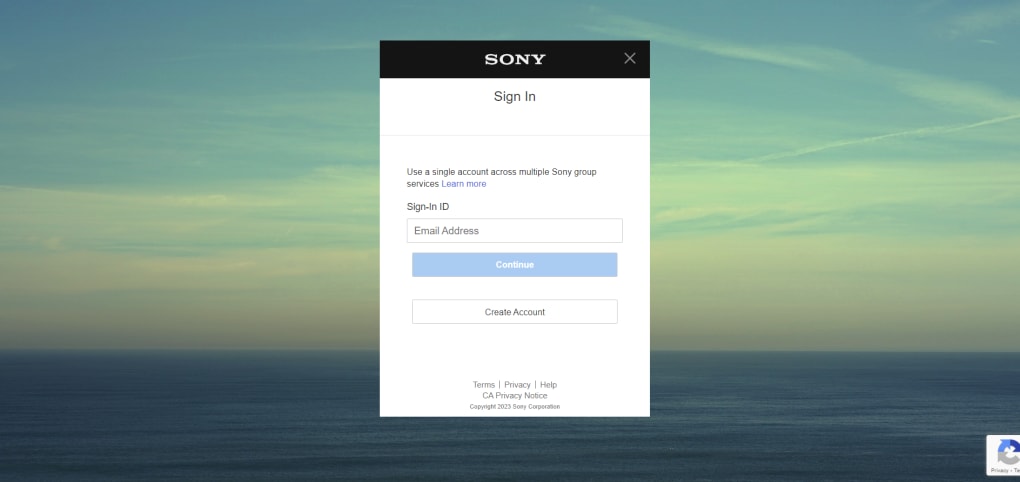
To begin, visit the official Sony Creators Cloud website and click the Download button that matches your operating system. The installer is a lightweight .exe for Windows, a .dmg for macOS, and corresponding APK or App Store packages for Android and iOS. After downloading, run the installer and follow the on‑screen prompts: accept the license agreement, choose the default installation folder, and optionally enable automatic updates. The first launch will ask you to create a Sony Creators Cloud account—simply provide an email address, set a strong password, and verify via the confirmation link.
Connecting Your Sony Gear
Once logged in, navigate to the Devices tab. Here you can pair compatible Sony cameras (Alpha, FX, and professional camcorders) via Wi‑Fi or USB. The pairing process registers each device in the cloud, allowing you to sync settings, upload media, and retrieve firmware updates directly from the dashboard. Mobile users can link Xperia smartphones or tablets, enabling on‑the‑go uploads through the Sony Photo Go app.
Day‑to‑Day Workflow
After a shoot, simply drag your footage into the Upload area or use the built‑in “Auto‑Upload” feature on supported cameras. The AI engine immediately begins analyzing the content—generating keywords, detecting faces, and creating low‑resolution proxies for quick review. Open Catalyst Browse to trim clips, adjust exposure, and add markers without leaving the browser. For deeper color work, launch Imagine Edge Desktop; the software pulls the media straight from the cloud, preserving original quality. Collaboration is as easy as sharing a folder link with teammates, who can comment, suggest edits, or approve final cuts—all tracked in a version‑history log.
Supported Operating Systems
Sony Creators Cloud runs on the following platforms:
- Windows 10 and later (64‑bit)
- macOS 11 (Big Sur) and later
- Android 9.0 (Pie) and later
- iOS 13 and later
Because the service is cloud‑centric, the same project can be accessed from any of these devices, ensuring continuity whether you’re editing on a desktop workstation or reviewing on a tablet while on set.
Pros, Cons & Frequently Asked Questions
Pros
- Free entry tier with generous 5 GB storage for hobbyists.
- Deep integration with Sony camera hardware and firmware.
- AI‑driven metadata tagging speeds up asset discovery.
- Cross‑platform apps allow seamless transition between desktop and mobile.
- Robust collaboration features with granular permission controls.
- Regular automatic updates keep tools current without manual patches.
Cons
- Advanced features (e.g., high‑capacity storage, priority support) require a paid subscription.
- Full functionality depends on using Sony‑branded devices; limited support for third‑party cameras.
- Initial cloud sync may be bandwidth‑intensive for large 4K raw files.
- Some users report occasional latency when accessing large libraries on slower internet connections.
FAQ
Is Sony Creators Cloud really free?
Yes. The base membership provides 5 GB of cloud storage at no cost. Additional storage tiers (25 GB, 100 GB, 500 GB) are available for a monthly fee.
Which Sony cameras are compatible with the remote‑settings feature?
Most recent Alpha mirrorless models (A7 IV, A7R V, A1), FX series cinema cameras, and select Handycam camcorders support cloud‑based profile syncing.
Can I use Sony Creators Cloud on a Windows PC without a Sony camera?
Absolutely. The desktop apps (Catalyst Browse, Imagine Edge) can import media from any source, allowing you to benefit from AI tagging and cloud storage even if you’re using third‑party footage.
How secure is my data in the cloud?
Sony employs end‑to‑end encryption, two‑factor authentication, and regular security audits. Your files are stored on Sony’s dedicated data centers with redundancy across multiple geographic locations.
What happens if I exceed my storage quota?
When you reach the limit, uploads are paused until you either delete existing files or upgrade to a higher storage tier. The platform will notify you via email and within the app dashboard.
Review Summary
Pros: Free tier, deep Sony integration, AI tagging, cross‑platform, strong collaboration.
Cons: Paid storage, Sony‑only hardware for full features, bandwidth demand for large uploads.
Conclusion – Should You Download Sony Creators Cloud?
If you already own Sony cameras or plan to invest in the ecosystem, Sony Creators Cloud is a compelling, cost‑effective way to bring studio‑grade workflow tools into a cloud environment. The free 5 GB tier is generous enough for trial projects, while the paid tiers scale smoothly for larger productions. AI‑driven asset management and seamless device syncing cut down on manual chores, letting creators spend more time on the creative decisions that matter. Although the platform shines brightest when paired with Sony hardware, its desktop applications remain valuable for any visual professional seeking a unified, secure storage hub.
Ready to upgrade your production pipeline? Download Sony Creators Cloud now and start collaborating, editing, and storing your content securely—free of charge. Experience the power of a cloud‑first workflow that grows with your ambitions.



.png)



